> ## Documentation Index
> Fetch the complete documentation index at: https://docs.hyperleap.ai/llms.txt
> Use this file to discover all available pages before exploring further.

# Integrate Prompts

> Learn how to integrate your prompts into applications using our API

Before integrating a Prompt, ensure you have:

* A Prompt published to a Workspace
* Workspace Owner or Admin permissions
* API access enabled for the Prompt
* Your API key

## Getting the API Integration Details

There are two ways to access your Prompt's API integration details:

<Steps>
  <Step title="Navigate to API Console">
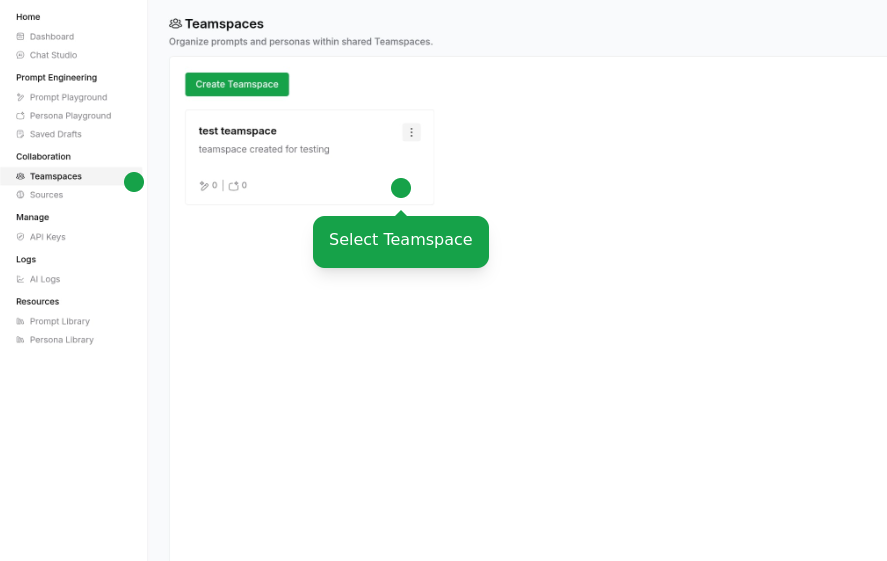
    Navigate to Workspaces page in API Console and select your Workspace
    <Frame className="w-full" style={{ maxWidth: "max((min(min(100vw - 30px, 1200px) - 120px, 1200px) - 40px) / 2, 1px)" }}>
      <img src="https://mintcdn.com/hyperleap/hVizvetMa1CprwXZ/images/prompts/integration/select-workspace.png?fit=max&auto=format&n=hVizvetMa1CprwXZ&q=85&s=346ce543c915bf5a68241cb74ee7bdcb" alt="Select Workspace" className="w-full h-auto object-contain" width="887" height="561" data-path="images/prompts/integration/select-workspace.png" />
    </Frame>
  </Step>

  <Step title="Access Integration Details">
    <Tabs>
      <Tab title="Via Workspaces page">
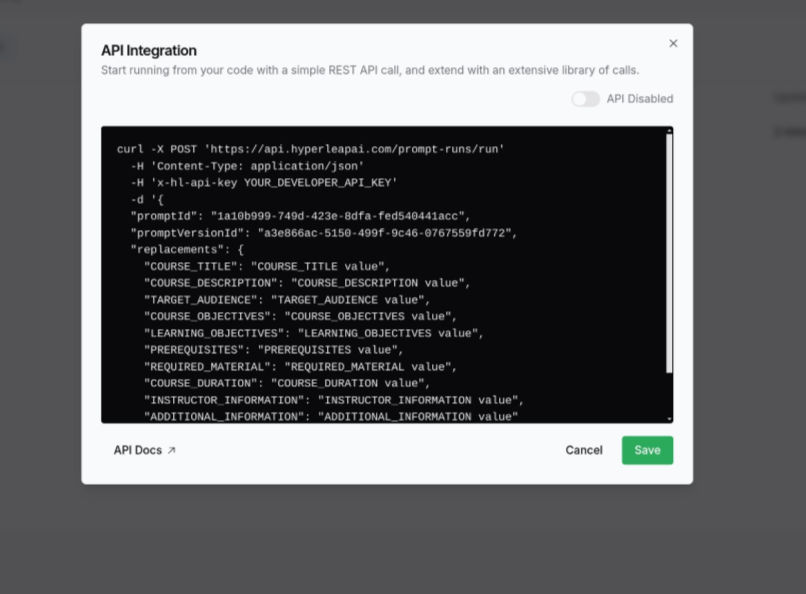
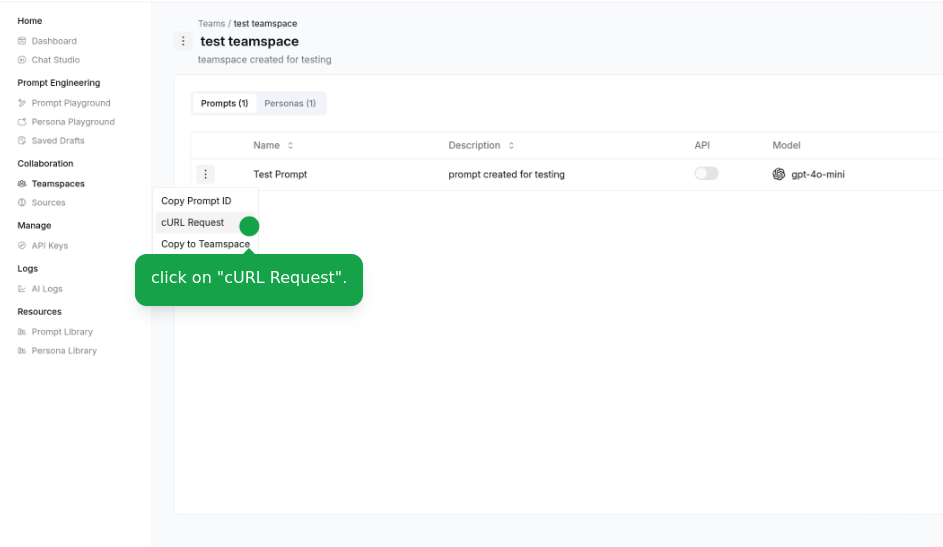
        Click "cURL Request" in the actions menu beside your Prompt
        <Frame className="w-full" style={{ maxWidth: "max((min(min(100vw - 30px, 1200px) - 120px, 1200px) - 40px) / 2, 1px)" }}>
          <img src="https://mintcdn.com/hyperleap/hVizvetMa1CprwXZ/images/prompts/integration/prompt-curl.png?fit=max&auto=format&n=hVizvetMa1CprwXZ&q=85&s=c9f8e387564b9e23b190f1b255ed6d04" alt="cURL Request Option" className="w-full h-auto object-contain" width="943" height="547" data-path="images/prompts/integration/prompt-curl.png" />
        </Frame>

        <Frame className="w-full" style={{ maxWidth: "max((min(min(100vw - 30px, 1200px) - 120px, 1200px) - 40px) / 2, 1px)" }}>
          <img src="https://mintcdn.com/hyperleap/hVizvetMa1CprwXZ/images/prompts/integration/prompt-integration.png?fit=max&auto=format&n=hVizvetMa1CprwXZ&q=85&s=3647b9568f1846e306afd0386ee6db0c" alt="API Integration Dialog" className="w-full h-auto object-contain" width="806" height="594" data-path="images/prompts/integration/prompt-integration.png" />
        </Frame>
      </Tab>

      <Tab title="Via Prompt Editor">
        Update the Prompt and easily integrate the latest version

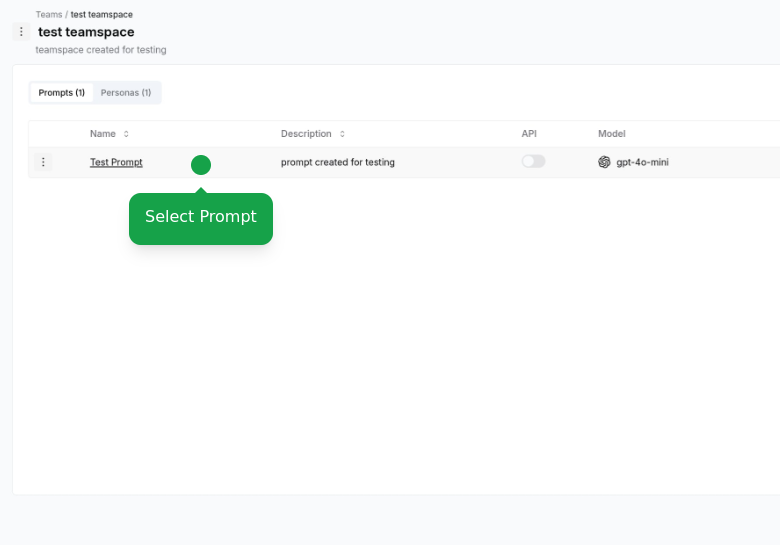
        * Select a Prompt
        <Frame className="w-full" style={{ maxWidth: "max((min(min(100vw - 30px, 1200px) - 120px, 1200px) - 40px) / 2, 1px)" }}>
          <img src="https://mintcdn.com/hyperleap/hVizvetMa1CprwXZ/images/prompts/integration/select-prompt.png?fit=max&auto=format&n=hVizvetMa1CprwXZ&q=85&s=11c796bd3650905332e8dd769f29c7dc" alt="Select Prompt" className="w-full h-auto object-contain" width="780" height="545" data-path="images/prompts/integration/select-prompt.png" />
        </Frame>

        * Click "API Integration" option and integration dialog will be displayed
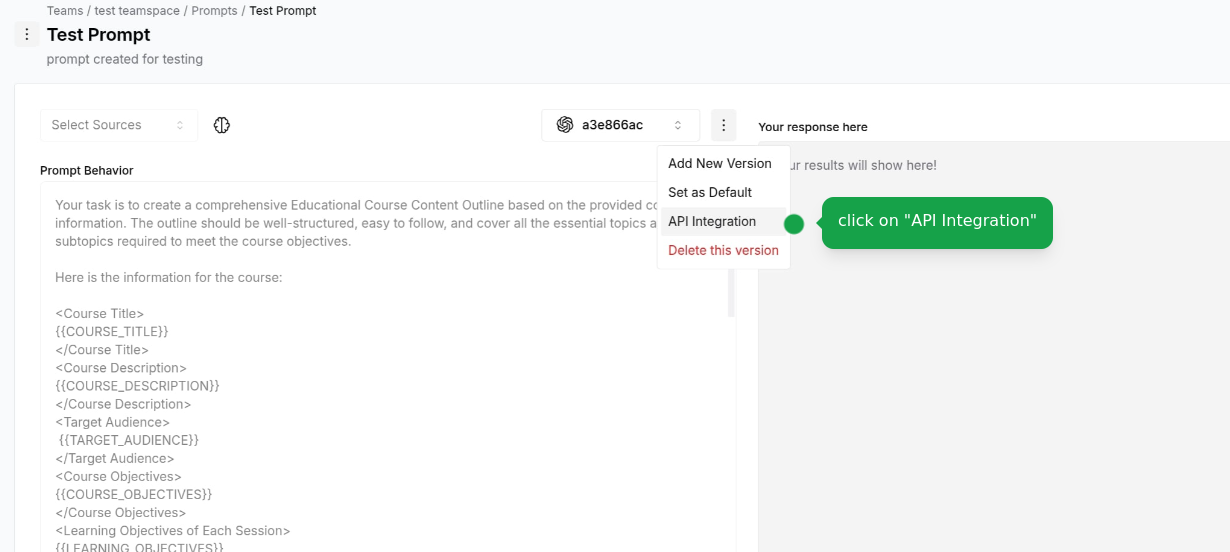
        <Frame className="w-full" style={{ maxWidth: "max((min(min(100vw - 30px, 1200px) - 120px, 1200px) - 40px) / 2, 1px)" }}>
          <img src="https://mintcdn.com/hyperleap/hVizvetMa1CprwXZ/images/prompts/integration/prompt-api.png?fit=max&auto=format&n=hVizvetMa1CprwXZ&q=85&s=914e0501c50be84d389a641248d1735a" alt="API Integration" className="w-full h-auto object-contain" width="1230" height="552" data-path="images/prompts/integration/prompt-api.png" />
        </Frame>
      </Tab>
    </Tabs>
  </Step>
</Steps>

## Integration Options

<CardGroup cols={2}>
  <Card title="REST API" icon="code">
    Integrate using our REST API with your preferred programming language
  </Card>

  <Card title="SDK Support" icon="box">
    Use our official SDKs for seamless integration (Coming Soon)
  </Card>
</CardGroup>

For detailed API documentation and examples, visit our [API Reference](/api-reference/prompts/overview).

## Next Steps

<CardGroup cols={2}>
  <Card title="API Reference" icon="code" href="/api-reference/prompts/overview">
    View complete API documentation for Prompts
  </Card>

  <Card title="Create Prompt" icon="wand-magic-sparkles" href="/guides/prompts/create-prompt">
    Learn how to create and configure Prompts
  </Card>
</CardGroup>