> ## Documentation Index
> Fetch the complete documentation index at: https://docs.hyperleap.ai/llms.txt
> Use this file to discover all available pages before exploring further.
# API Keys
> How to obtain and use API keys for authentication
API keys allow you to access Hyperleap AI's AI features programmatically. With a single key, you can run prompts, create conversations, and use personas directly in your applications—making it simple to add powerful AI capabilities to your products.
## Obtaining an API Key
You can obtain your API key from [Studio](https://studio.hyperleapai.com) by following these steps:
Go to **Manage** > [**API Keys**](https://studio.hyperleapai.com/api-keys)
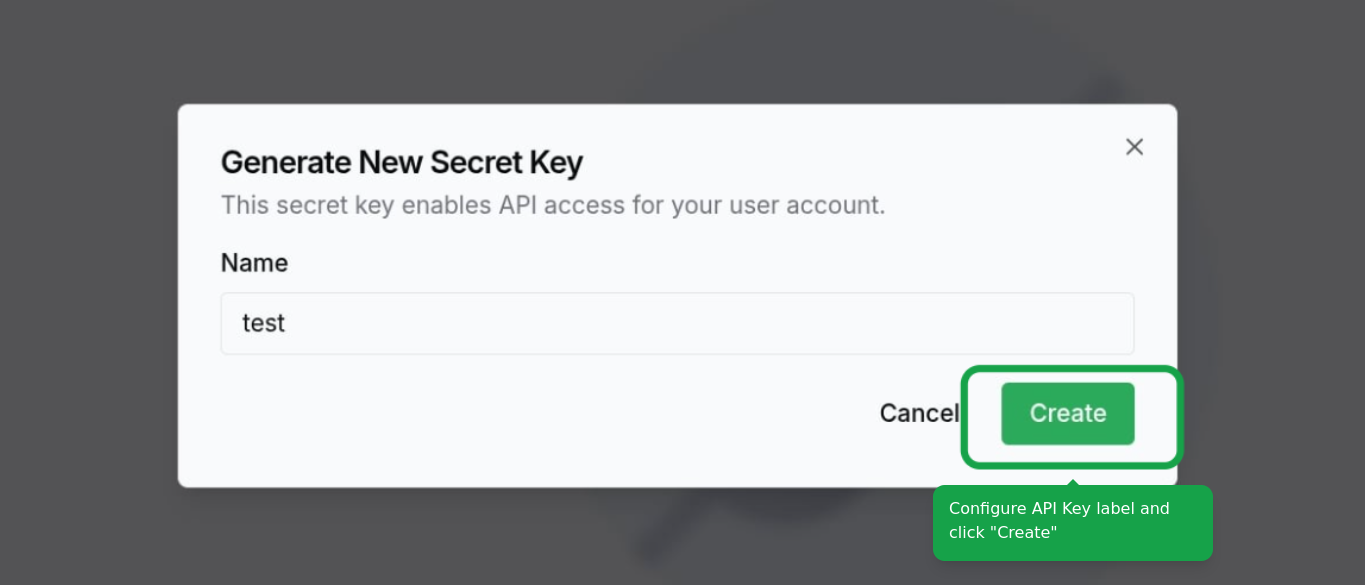
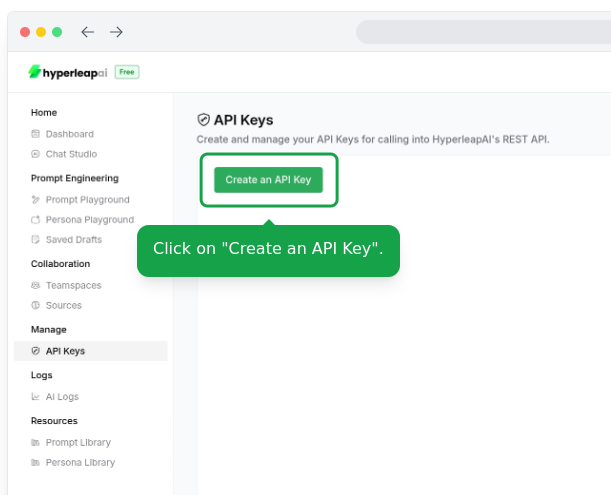 Configure the label and click on the "Create" button.
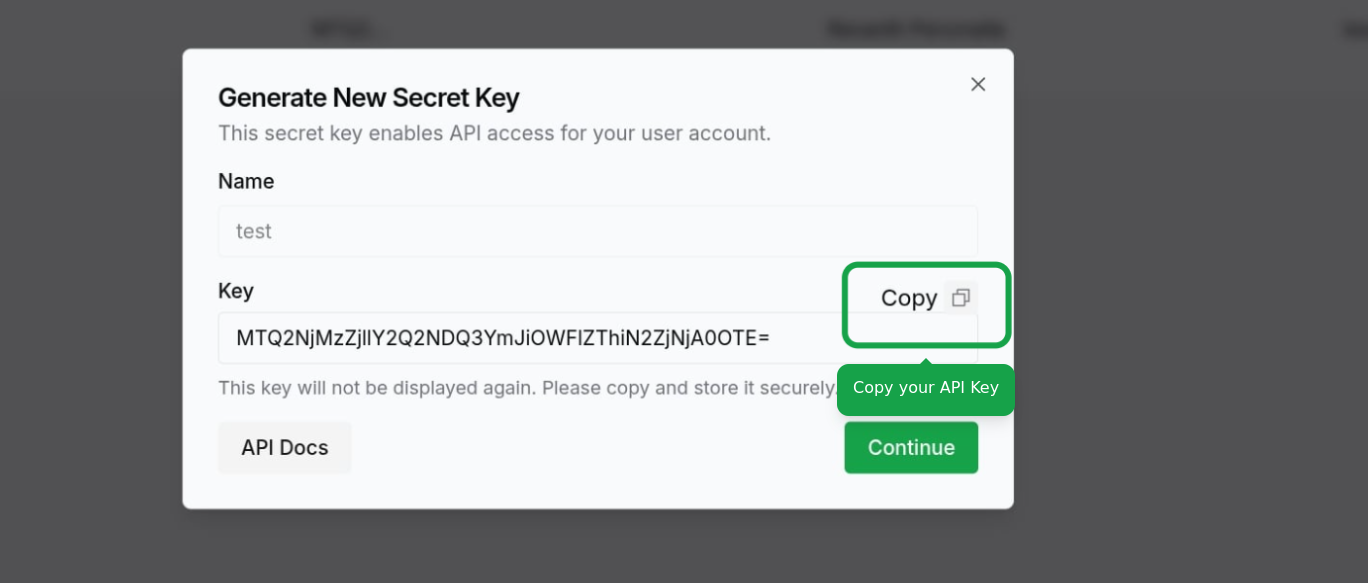
 Click on the **Continue** button to create the key. Make sure to copy your API key and store it in a safe place. You won't be able to see it again.
 ## Using Your API Key
To authenticate API requests, include your API key in the `x-hl-api-key` header:
```
x-hl-api-key:
```
Example request using cURL:
```bash theme={null}
curl -X GET "https://api.hyperleapai.com/conversations" \
-H "x-hl-api-key: your_api_key_here"
```
## Using Your API Key
To authenticate API requests, include your API key in the `x-hl-api-key` header:
```
x-hl-api-key:
```
Example request using cURL:
```bash theme={null}
curl -X GET "https://api.hyperleapai.com/conversations" \
-H "x-hl-api-key: your_api_key_here"
```